














































































































































































Automatic filtering of banner according to Revenue
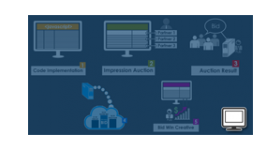
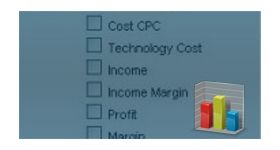
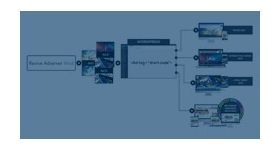
This plugin filters banners by profit range and shows the higher performing ads in a campaign, so revenue rather than manual choice decides what runs. It adds an Optimize Banner option to the campaign section of Revive Adserver.
What it does
- Banners are filtered on profit range, so the ads that earn more are the ones displayed to the audience.
- Optimization can run on a daily, weekly or monthly basis, which lets admins match the review cycle to how fast their campaigns change.
- The admin or publisher selects ads for a campaign through several optimizing options, which replaces guesswork about which creative is paying off.
- The feature is described as unavailable in the standard ad server, so it fills a gap rather than duplicating a built-in setting.
How it fits your ad stack
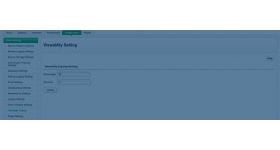
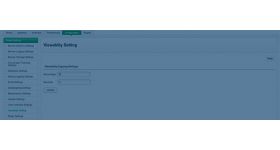
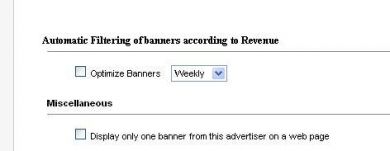
After installation, the Optimize Banner option appears in the campaign section, where the admin picks the optimizing interval.
Full feature details
“Display the most profitable ads and gain more Revenue”
The admin likes to display only the ads which gain more profit but this feature is not available in existing revive ad server. But by installing automatic filtering of banner according to revenue they can filter the banners based on the profit range and display high performing ads for the audience. The plugin for revive ad server has a number of optimizing options that helps the Admin /Publisher to select ads for a campaign. The banners can be optimized in daily, weekly or monthly basis based on admin’s requirement. With the help of this tool, the admin can display the right ads in publisher’s site and gain more profit.
Benefits of this tool
- The main benefit of this tool is it will increase the Revenue and helps to choose the good performing banners for a campaign.
- Guaranteed engagement.
How to use this tool
- Integrate the Module in the Revive Adserver.
- Once the installation has been done the new option called optimize banner will be displayed in campaign section.
- From that option, the Admin can select the optimizing time duration for selecting the best ads. The time intervals available are a daily, weekly, and monthly basis.
Frequently Asked Questions
Included with every plugin
- Installation and setup help. We help you install the plugin on your Revive Adserver and confirm that it is working.
- 3 weeks of free support from the day of delivery, covering installation, configuration and any bug in the plugin.
- Your Revive Adserver version. Choose your version in the Product Versions drop-down on this page.
- Licenses to fit your setup. Choose Single Domain, Multi Domain or Source Code in the License drop-down.
Need changes made for your setup? Custom work and consulting are available. Contact us with your requirements.
Common questions
Which Revive Adserver versions does this plugin support?
The supported versions are listed in the Product Versions drop-down on this page. If you run a version that is not listed, contact us before ordering.
What does the free support cover?
For 3 weeks from delivery we help with installation, configuration and any bug in the plugin. Custom development and problems caused by other plugins or your hosting are not part of the free support, but we can quote them separately.
Can you adapt the plugin to my setup?
Yes. Custom work is available. Tell us what you need and we will quote it.